| How to find us on mIRC |
| Head over to http://www.mirc.com/get.html and download mIRC. Install mIRC When complete, start mIRC up, choose your name. Click file, Select server... 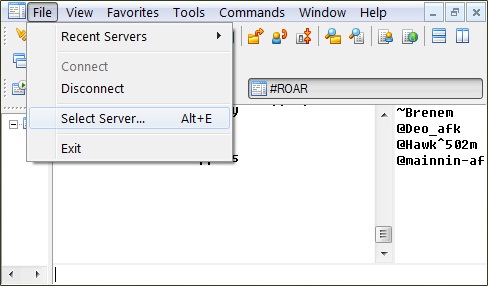 |
In the select server window, click Add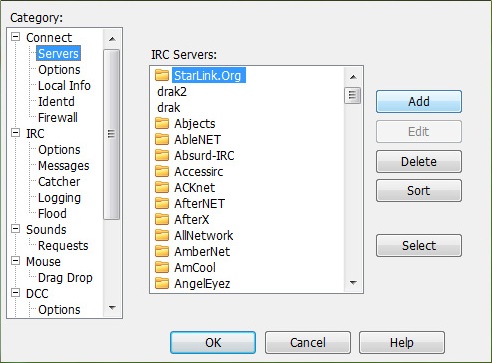 |
| Add the following information. Description: Drakkar (any name works) IRC server: irc.portalx.org Port should already be set to 6667 Rest blank Click Add 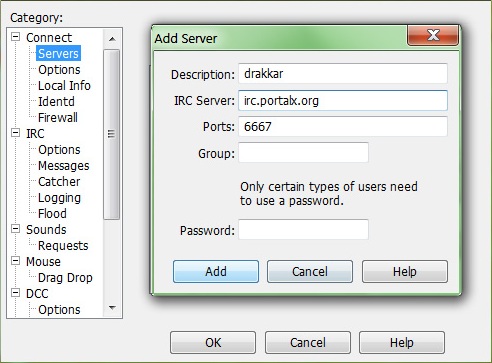 |
| Once you Add, you should see the server in the list With the server highlighted, click Select 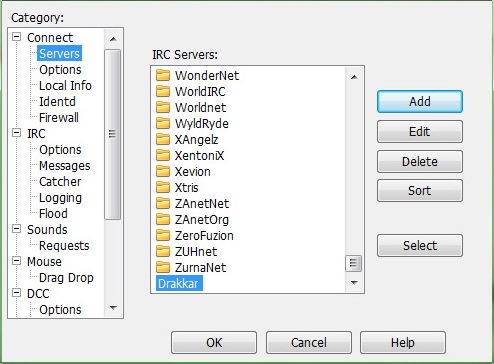 |
| Double check your name ect When done, click Connect mIRC should now be connecting to the server 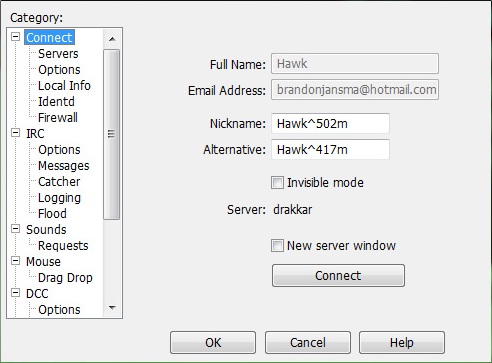 |
Once it has connected, click Commands then Join channel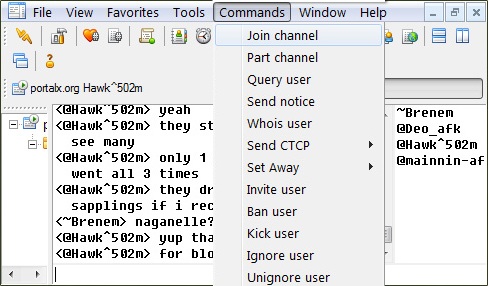 |
Type in Roar as the channel name, and click Ok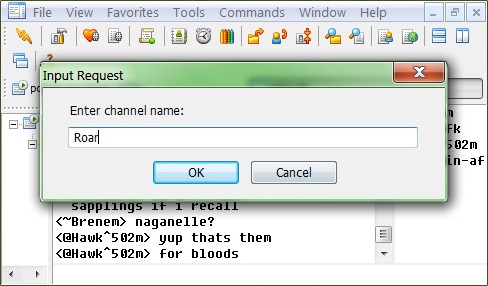 |
| Welcome to our channel! |